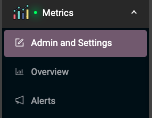
Once the Data Source is added, a menu appears in the left menu.
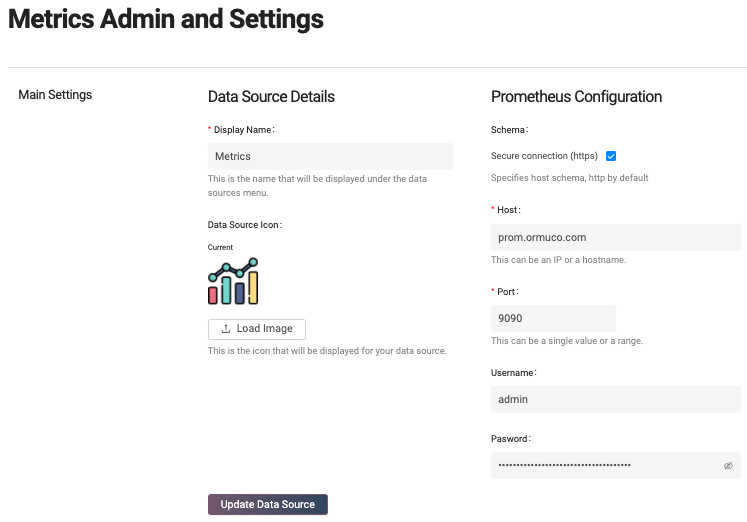
In Admin and Settings section, the users can adjust information regarding Data Source setup, including name, icon, and elastic search configuration.
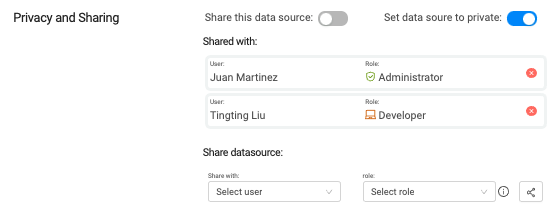
The Privacy and Sharing Section allows sharing the Data Source and setting up roles and permissions to different users. By default, the data source owner is acting as Admin role who has full permission to add, update or delete an environment. The admin role can also set up alerts and share the Data Source with certain people or the public.
More users can access the list of tickets that belonged to this Data Source by sharing a Data Source. Furthermore, users can perform different actions on the tickets and alerts depending on the role. As usual, the admin user can view more details of roles and permission by clicking on the info tab in the role section. Please be noted Hayei can share a Data Source with existing Hayei users only.
If a Data Source becomes Public, any valid Ormuco user can see the Data Source once they log in. It is worth mentioning that any user is only allowed to see metrics belonging to the logged user.
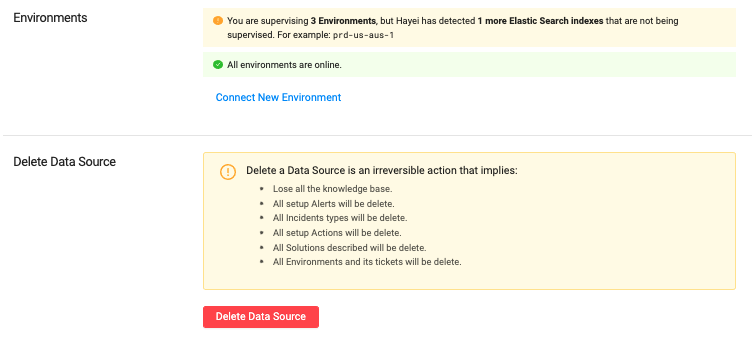
The last part allows the Administrator to add environments and or delete the current Data Source.